

A refrigerated trailer pulls in on time. At the dock, the receiver checks the logger and sees that the air inside the trailer stayed at 46°F for two hours on I-35.
The quality team wants to know which pallets may have warmed up. The customer needs to decide whether to accept the load, and the carrier wants to know when the temperature rose.
Cold chain monitoring connects temperature records with the people responsible for protecting sensitive goods. A useful system preserves measurements, identifies exceptions, and supports a documented response throughout storage and transport.
What Cold Chain Monitoring Does
Cold chain monitoring records conditions around temperature-sensitive products as they move through storage, loading, transportation, and delivery. Connecting those records with logistics software integrations gives each reading a shipment, location, and operational context.
The basic workflow combines a measuring device, a retained record, and defined review procedures. Connected systems can also transmit readings during storage or transit so staff can investigate developing problems.
Start with temperature. Add humidity, door status, or location if staff need that information to make a decision about the load. Decide what you need to measure before buying equipment.
Food distributors, pharmaceutical suppliers, and medical courier operations can require different monitoring arrangements. Product instructions, packaging, handling procedures, and applicable obligations determine acceptable conditions and the evidence needed at each handoff.
Choose Sensors and Data Loggers for the Actual Conditions
Cold chain monitoring starts with a defined measurement task. First, decide where you need a reading. A probe can measure the air in a cold room or inside a package. If you need to estimate the product’s temperature, validate the probe setup for that product.
Match the Device to the Monitoring Task
A temperature sensor measures conditions at its sensing element, while a data logger stores measurements over time. A connected tracker adds transmission capabilities, with its reporting behavior determined by configuration and network availability.
| Device arrangement | Suitable starting point | Check before deployment |
|---|---|---|
| Standalone temperature logger | Shipment histories downloaded at receipt | Activation, memory, battery life, retrieval method, and calibration evidence |
| Wireless sensor with a gateway | Fixed cold rooms and warehouse zones | Reception with doors closed, gateway power, local storage, and outage recovery |
| Cellular shipment tracker | In-transit visibility and remote alerts | Route coverage, supported operating temperatures, transmission schedule, and data access |
| External probe with a recorder | Measuring inside a chamber or package | Probe range, installation, response characteristics, and suitability for the intended product |
Review how the device will connect to your software before committing to a supplier. Confirm how readings leave the hardware, which interfaces are available, and who controls access to historical records.
Specify What the Temperature Reading Represents
Air temperature can change quickly when a door opens, while packaged goods respond differently. For example, a probe near the cold-room door might register a brief spike when staff open it for two minutes to move a pallet.
If every spike triggers an alert, staff may start ignoring notifications and miss a refrigeration failure. Record where each probe sits and what it measures so staff can judge a spike against the approved product rules.
For vaccines, the CDC’s July 2026 storage and handling toolkit recommends digital data loggers and probes that reflect vaccine temperatures. Buffered probes can help approximate vaccine temperature by moderating sudden air-temperature changes.
Confirm measurement range, uncertainty, calibration documentation, and battery performance under the intended conditions. Check the probe and recorder together, including whether either component must remain outside an unusually cold environment.
Close the gaps between sensor alerts, shipment records, and staff response.
Unique Software Development can scope the integrations and review workflows needed around your existing monitoring and operational systems.
How Sensor Readings Become Alerts and Shipment Records
Cold chain monitoring works through a sequence of measurement, transmission, processing, and response. Each stage needs checks that reveal delayed readings, incorrect device assignments, and failures between the sensor and the software.
1. Assign the Device and Record Measurements
Associate the device serial number with the shipment, container, vehicle, or storage zone before monitoring begins. Record activation time, units, product profile, and the person responsible for confirming the assignment.
Installed hardware may already connect with fleet management software. Check whether the available feed identifies the correct trailer and sensor, especially when tractors, trailers, or removable monitoring devices change assignments.
2. Store Readings and Transmit Available Updates
Recording frequency and upload frequency are separate settings. A device might save frequent readings locally, then transmit them in batches according to its configuration, power budget, and available connection.
For illustration, a logger records every minute and uploads every fifteen minutes. An excursion appearing between uploads may remain invisible remotely until transmission, even though the device retains the intermediate readings.
A driver’s app can keep working offline during an outage. Check the logger separately to see how many readings it can store until the connection returns.
Mark delayed uploads with their original measurement times. Preserve the order of events. Show staff when the latest reading was measured and when it actually reached the reporting platform.
3. Validate Incoming Data and Evaluate Rules
Check timestamps, units, duplicate messages, missing intervals, and device assignments before adding readings to a shipment history. Retain the original values and document corrections so later reviews can reconstruct the record.
Keep rules versioned, with explicit ownership of temperature limits, alert logic, and changes approved during implementation.
4. Notify the Responsible Person and Track Action
At 2 a.m., a temperature alert can sit unread in the warehouse inbox. Send it to the person on call. If they haven’t acknowledged it within the agreed response window, say 10–15 minutes, send it to the backup contact.
Set that window around how quickly staff need to act for the product. Send separate alerts for missing readings, low batteries, and device faults.
Connect GPS and telematics information when location helps staff respond to an incident. An alert should identify the affected load, the available evidence, and the person authorized to coordinate the next action.
What the Monitoring Software Must Make Visible
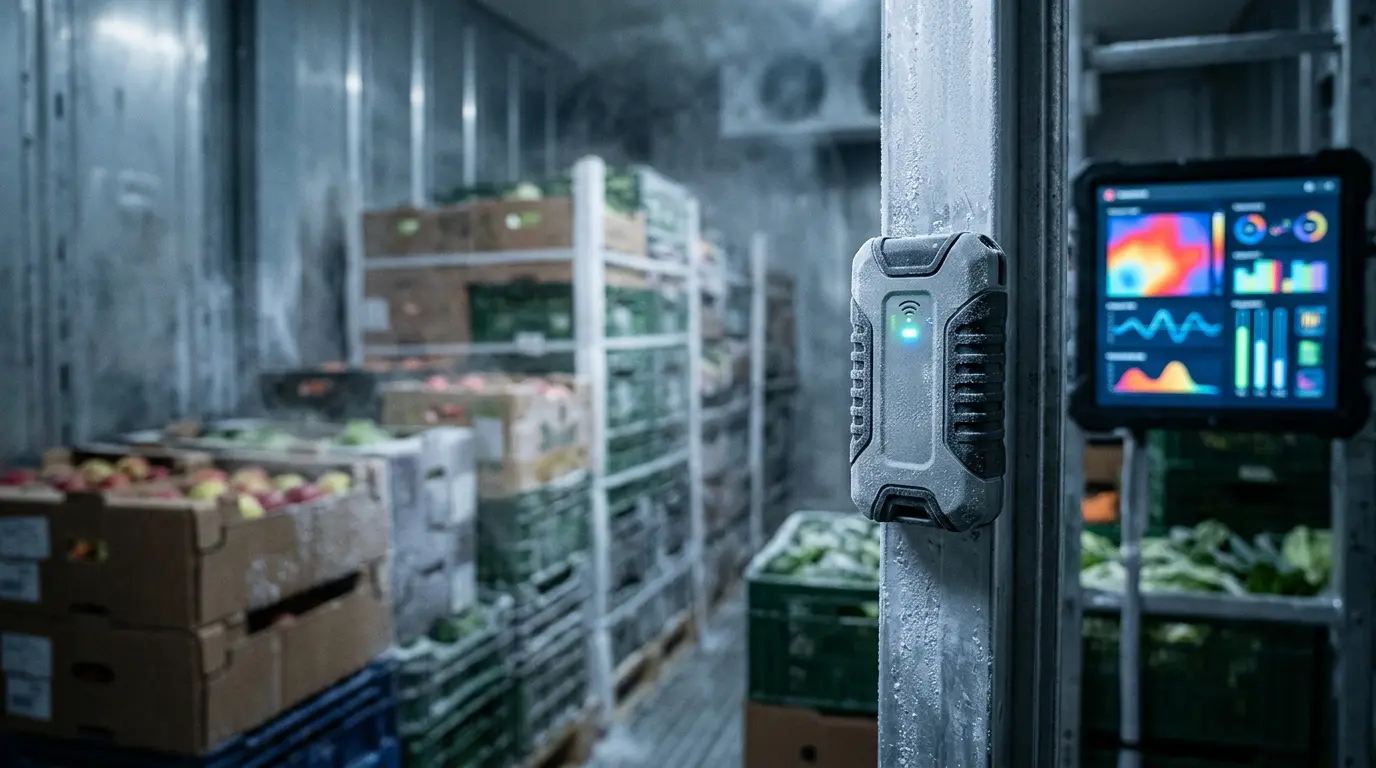
Cold chain monitoring software should make incomplete evidence easy to identify. Staff need access to the underlying readings, the active rules, and the actions already taken against an exception.
A Shipment History With Clear Data Ownership
A transportation management system can hold the shipment record while a specialist monitoring platform stores sensor measurements. Define which system owns each record and how users move between them during an investigation.
If a receiver files a damage claim, compare the logger’s timestamps with the carrier’s pickup and delivery records. If the trailer air was already out of range at 9:40 a.m. and pickup was logged at 10 a.m., both teams have a specific window to investigate.
Use the readings alongside handoff records and any product checks when reviewing the claim.
Build the shared record around identifiers your operation actually uses. Include shipment references, device identity, timestamps, units, measurement location, and relevant product or lot details where those associations can be maintained reliably.
For warehouse cold chain monitoring, establish WMS requirements for associating stock with monitored locations and handling holds. Test whether moving goods between zones preserves a usable history of where inventory was stored.
Placement Evidence, Alerts, and Retrievable Records
The WHO’s January 2026 temperature mapping resource describes recording temperature distributions within storage spaces. Mapping provides evidence for understanding variation and selecting monitoring locations appropriate to the intended storage arrangement.
Keep placement diagrams and mapping results alongside the equipment record when relevant. Reassess the arrangement when loading patterns, shelving, airflow, or equipment changes could affect the conditions around stored goods.
Reliable WMS and ERP integration can carry approved inventory status changes into other operational systems. Verify that held stock remains blocked where required and that an integration failure becomes visible to the responsible team.
Retain original readings, calibration documents, alarm histories, reviewer decisions, and correction logs under the applicable retention policy. Test exports and restoration before relying on the system for records that require later retrieval.
Define Product Rules and Temperature-Excursion Procedures
Cold chain monitoring requires rules tied to the goods being handled. Confirm approved temperature ranges, relevant time limits, handling instructions, and review authority before configuring the platform or enabling notifications.
Avoid using a single temperature profile across products with different storage requirements. Separate documented product limits from operational warning settings, and retain the rationale and approval for any notification delay.
For vaccine excursions, staff should label affected stock “Do not use,” maintain appropriate storage, and seek the required viability assessment. A return to the permitted temperature range does not establish product suitability.
For fixed storage, connect facility maintenance workflows to refrigeration incidents that require repair. Record the equipment issue and corrective work separately from the quality decision about goods exposed during the event.
If you run a 3PL, give each client its own temperature limits, alert contacts, and reports. Assign someone to approve each client’s rules and restrict access to that client’s records.
Document responsibility at every transfer between vehicles, facilities, and carriers. Multimodal shipping workflows should preserve the connection between the consignment, monitoring device, and incident record when an operational handoff changes the responsible team.
Decide Whether to Buy, Extend, or Build the Software
Start with a packaged monitoring product and test it on a typical shipment or storage zone. Use the demo to see which requirements it meets and where your team would still need a workaround.
| Approach | Choose it when | What to test first |
|---|---|---|
| Buy a monitoring product | The product covers your devices, records, alerts, and response workflow. | Run a sample load or storage zone. Check alerts, exports, support, and recurring fees. |
| Extend existing systems | Monitoring works, but readings or alerts don’t reach the teams or systems that need them. | Test API access, shipment matching, and message failures. Decide who’ll maintain the connection. |
| Build a custom module | A required workflow or integration still has a gap after you evaluate a product and an extension. | Define the gap, confirm access to device data, and budget for testing, support, and ongoing operation. |
Use your own devices and records in the demo. Reassign a trailer, simulate a gap in readings and an overnight alert nobody acknowledges, and export the shipment history.
If the gap involves a warehouse hold or shipment update, test whether the monitoring tool can pass the evidence to the system that owns that record.
Build around the reporting and response gaps your operation can demonstrate.
Unique Software Development can evaluate a focused extension or custom module using your device data, shipment records, and acceptance criteria.
Pilot the Complete Workflow and Measure Its Cost
Pilot cold chain monitoring on a representative route or storage area. Assign an owner and acceptance criteria. Prove the workflow under expected failure conditions before expanding to additional sites or carriers.
Test the complete record and response process with dispatchers, receiving teams, and the employees covering after-hours incidents.
- Disconnect the gateway and verify local recording, missing-data alerts, and recovery.
- Close cold-room doors and check communication with the installed equipment.
- Reassign a device and confirm measurements attached to the correct shipment.
- Simulate an approved alert test and verify acknowledgment, escalation, and closure.
- Export a completed history and confirm the records remain readable outside the platform.
Budget for devices, installation, mapping or qualification where required, connectivity, software, integration, calibration, replacements, and support. Include training and incident coverage so the estimate reflects the operation after the initial rollout.
Measure transportation software ROI using attributable losses, response times, investigation effort, and total running costs. Record released staff capacity separately from cash savings, which require an actual decrease in expenditure.
Make Every Exception Reach Someone Who Can Act
Cold chain monitoring should preserve an understandable record and make the next action clear. Start with the product requirements, prove the device connections, and test how staff respond when readings or communications fail.
Unique Software Development builds custom transportation software, integrations, and application upgrades around operational requirements. Bring your device interfaces, shipment records, and reporting gaps to a discussion about a practical first implementation for your team.