


Say a broker needs a refrigerated trailer for a noon pickup in Dallas. Three carriers run the lane, and two of their availability updates came in yesterday.
Digital freight matching can show which carriers fit the shipment and send an offer while pickup is still possible. The broker still needs a confirmed booking before calling the load covered.
What Is Digital Freight Matching?
Digital freight matching uses shipment details and carrier capacity data to identify trucks that could move a load. Depending on the platform, it can recommend carriers, send offers, collect bids, or confirm bookings.
In freight broker software, matching sits between entering the load and tendering it to a carrier. The brokerage record carries the appointment, equipment requirements, and approval rules into that decision.
Shippers can use digital freight matching to source backup capacity when a contracted carrier declines a load. Brokers can use it to find a truck among approved carriers or reach a wider market.
Load Boards, Private Networks, and Digital Freight Brokers
A freight load board gives users a place to post and search for freight or trucks. Some boards also suggest matches or let eligible carriers book through the listing.
A private carrier network limits offers to carriers the shipper or broker has approved. Broader marketplaces can expand the search when those carriers lack capacity on a particular lane.
A digital freight broker arranges the shipment through its brokerage business and uses software to handle parts of that work. A matching tool can also sit inside an existing broker’s workflow.
How Digital Freight Matching Works
Most workflows start with a load record and end with a confirmed carrier assignment. The rules in between determine who sees the offer and when someone needs to step in.
1. Enter the Shipment and Its Constraints
Capture the pickup and delivery windows, equipment type, weight, and handling instructions before releasing the load. Add any customer requirements that would disqualify a carrier, such as a specific equipment configuration.
For the Dallas load, a dry van is outside the search criteria. A refrigerated trailer nearby can also drop off the list if its projected arrival falls after the pickup window.
2. Check Eligibility and Rank the Remaining Carriers
Apply carrier approval, equipment, geography, and service requirements before ranking the candidates. A carrier that frequently runs the lane can still have its truck committed elsewhere that morning.
Digital freight matching can rank the remaining carriers by location, recent availability, lane history, and service performance. Check when each signal was last updated before relying on the suggested order.
One use of AI in logistics is estimating whether a truck can reach pickup on time. A brokerage can start with rule-based filters and add predictions once it has reliable outcome data.
3. Send the Offer and Confirm the Booking
A tender is an offer to move a specific load. The system may send tenders one at a time, invite bids from a group, or allow instant booking under preset terms.
Set an expiry for each offer. When an eligible carrier accepts and the booking clears your approval rules, save the agreed rate and issue the confirmation from the load record.
If you offer the same load to several carriers, make the first valid acceptance reserve it. Close the other offers and make sure any late replies reach an exception queue.
For the Dallas pickup, the broker might set a fixed instant-book rate. Route any counteroffer above the approved buy rate to someone who can review the margin and pickup risk.
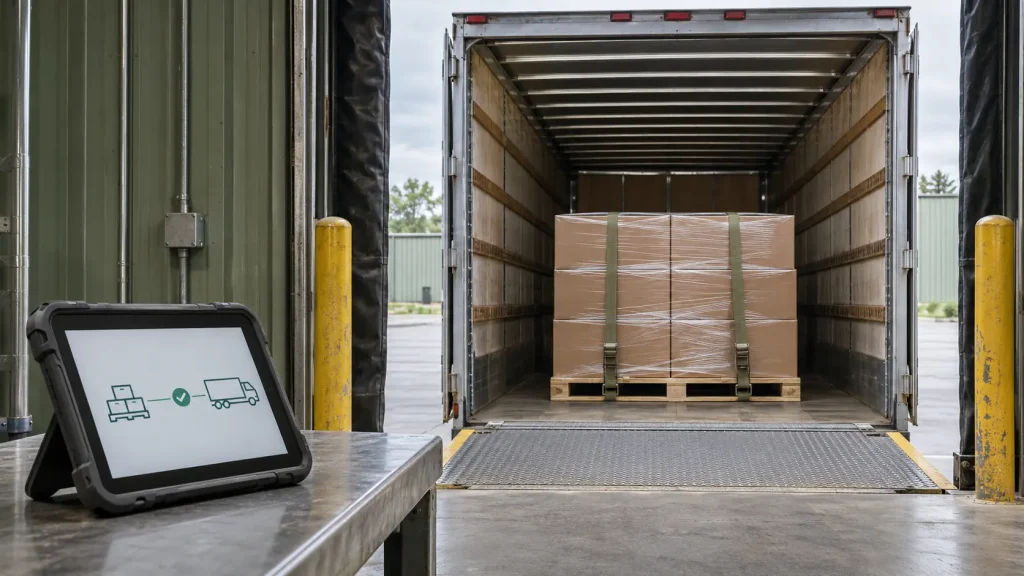
An available truck can still miss an appointment if its location is stale.
Define which signals the matching tool can trust before letting it send an offer.
What Brokers and Shippers Control
The same load can pass through a shipper’s routing guide and a broker’s carrier network. Each team needs a clear rule for how far the search can go as pickup approaches.
How Brokers Cover a Load
Brokers can start with approved carriers that regularly run the lane. If nobody takes the load before the cutoff, widen the search according to the customer’s requirements and the broker’s approval rules.
When a carrier falls off the load, make the next action visible in the transportation dispatch software. Dispatch needs to know who will call the replacement carrier and update pickup.
Use digital freight matching to record which carriers declined, timed out, or accepted. That history helps the broker identify lanes where the same group keeps turning down the same offer.
How Shippers Find Backup Capacity
A shipper can start with its routing guide, the order in which it offers loads to contracted providers. It can then request spot quotes when the guide is exhausted or time runs short.
Decide what closes a contract tender before sending the load to the spot market. A documented decline or expiry helps prevent a contracted carrier and a spot provider from accepting the same load.
Give the shipper the accepted rate, pickup commitment, and details of who will manage exceptions. A useful booking record also shows which version of the load details the carrier accepted.
Booking Controls and TMS Integration
Digital freight matching depends on consistent carrier records and one place to confirm the booking. Those controls matter most when an offer expires, a provider sends duplicate events, or a carrier cancels.
Verify the Carrier Before Releasing the Load
Check the carrier’s identity, operating authority, insurance, and approval status against your onboarding policy. Route identity mismatches and changes to payment details to someone who can verify them before release.
FMCSA’s guidance on broker and carrier identity theft recommends checking contact numbers in SAFER. If the number you received differs, call the number listed there to verify the transaction.
Decide Which System Owns Each Update
If your transportation management system holds the load record, send the provider a stable load ID and the current shipment details. Return the winning carrier, agreed rate, and booking status to that same record.
Keep “offered,” “accepted,” and “booked” distinct in the integration. If an acceptance arrives after reassignment, send it to a review queue and keep the confirmed carrier on the load.
Give each offer its own ID and associate it with the version of the load that went out. When equipment, the rate, or a pickup window changes, expire outdated offers.
Test duplicate booking messages, a pickup change after tender, and a cancellation during a connection outage. A dispatcher should be able to see what the provider sent and which action is still open.
DAT’s July 2026 announcement for Tai TMS gives one example of automated carrier matching inside the broker’s TMS. Check which actions your own connector supports before planning the rollout.
Capturing the accepted rate in one system and the carrier assignment in another creates room for errors.
Trace the booking event back to the same load record.
How to Pilot Freight Matching and Measure Results
Start with one repeat lane and one equipment type. Pick a lane that gives you enough comparable loads to see where digital freight matching saves time and where staff still intervene.
Choose a Tool Around the Gap You Can See
Try the matching options in your current TMS or marketplace before committing to a separate build. Run one live example from load entry through acceptance and a second example that forces a cancellation.
Consider custom logistics software development when a provider cannot apply a customer’s carrier approval rules or return the booking data you need. Scope that missing piece around your existing load record.
Define Success Before the First Load
Track the time from releasing a load for sourcing to confirming a carrier. Review comparable lanes and pickup windows so a change in freight mix doesn’t distort the result.
Connect those measures to transportation software ROI by tracking the cost of covering each load. Record the carrier buy rate, incremental platform fees, and extra costs when a booking must be replaced.
Track service alongside those costs so you can see what happens after a load is covered. A fast booking still loses time if staff spend the next hour finding a replacement carrier.
- Time to cover tracks the elapsed time from release to a confirmed booking.
- Tender acceptance rate divides accepted tenders by tenders sent using the same counting rules in both periods.
- Fall-off rate tracks confirmed bookings that later need a replacement carrier.
- On-time pickup uses the appointment window agreed for the load.
- Contribution per load subtracts carrier pay and other direct shipment costs from shipper revenue.
If you use transportation software outsourcing services, name someone on your team to approve matching rules and verify pilot results. Agree who owns provider credentials and reconciliation after an outage.
Make the Booking the Point of Control
Start with a lane your team knows and define what counts as a confirmed booking. The pilot should show whether staff can cover loads and handle exceptions with a reliable record.
As a logistics management software development company, Unique Software Development can design digital freight matching around your carrier approval and booking rules. Bring a sample tender and details of the systems it needs to connect.