


Deploying Sitecore environments is a high-stakes game for any business. One tiny serialization mismatch acts like a loose thread that pulls the whole sweater apart. Fixing these Sitecore project errors before they hit the live server is the only way to keep things running smoothly.
If these glitches slip through, they move fast. They hitch a ride on your publishing pipelines and land right in your CD environments. Before you know it, you are dealing with 500 errors, ghost rendering components, and search bars that go nowhere. It leads to messy content and pages that simply buckle when real-world traffic hits.
This guide gets into the nitty-gritty of the most common Sitecore headaches. We break down exactly why these errors happen and show you the practical steps to find and fix them. You get a stable enterprise site without the stress of a total system meltdown.
Why Does Sitecore Break in Production?
Sitecore is powerful but complex. Most errors happen because of two root causes:
- Architectural gaps
- Operational inconsistency
Some of the biggest culprits that cause Sitecore project errors include:
- Config settings that differ between development and live environments
- Publishing failures between the content management and delivery servers
- Broken SXA renderings and layout components
- Search indexing corruption in Solr
- Deployment steps that succeed in staging but fail in production
Modern Sitecore setups make this even harder to manage. You now have Azure scaling, Kubernetes clusters, GraphQL services, Edge delivery networks, and third-party marketing tools all wired together. A deployment that looks clean in staging can still fall apart in production because of how these layers interact under real traffic.
If Sitecore project errors keep coming back after every deployment, the issue is usually architectural, not operational. That means patching individual symptoms will not solve anything long-term.
Enterprise Sitecore issues are rarely isolated. An experienced Sitecore support team can help diagnose root causes, stabilize deployments, and prevent recurring production failures before they affect performance and user experience.
The Most Common Sitecore Project Errors and What Causes Them
Even a well-built Sitecore implementation can run into unexpected issues over time. In enterprise environments, these problems are rarely random. They usually point to underlying configuration, deployment, or architecture-level issues.
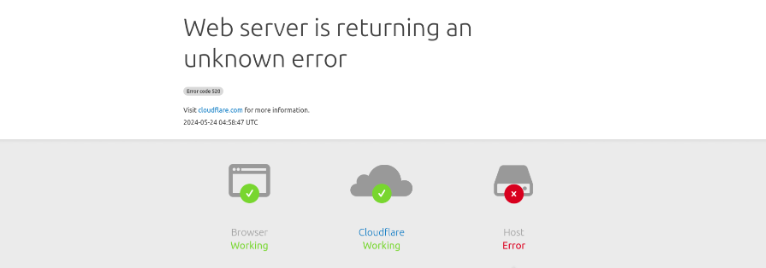
Below are some of the most common Sitecore project errors and their root causes, so you can understand what is actually breaking behind the scenes instead of spending time on trial-and-error debugging.
1. Config Mismatches Between Environments
This is one of the most common and frustrating problems in Sitecore development. Developers configure things locally or in staging, and those settings never make it to production correctly.
A classic example is leaving compilation debug=”true” active in production. This one setting alone can increase memory usage significantly and slow your application under load.
Another common issue is a BindingRedirect misconfiguration in web.config. If a single library like Newtonsoft.Json has an incorrect version redirect, your Content Management (CM) server may start fine while your Content Delivery (CD) server throws errors on every request.
What to do: Use the /sitecore/admin/showconfig.aspx tool on every server role to compare the final merged configuration. Do this before and after every deployment to ensure environmental consistency.
2. 404 Errors After Deployment
404 errors in Sitecore are rarely about missing pages. Most of the time they are caused by:
- Hostname binding mismatches
- Incorrect site definitions
- Unpublished content trees
- CD role configuration differences
- Wildcard route conflicts
A common scenario is when CM resolves URLs correctly, but CD processes requests against a completely different site definition due to patch ordering. The site exists. The content exists. But the routing logic points somewhere wrong.
According to Experts, large-scale 404 errors can lead to measurable drops in organic search rankings within weeks. That is a direct revenue impact, not just a technical inconvenience.
3. 500 Errors in Sitecore XM Cloud
XM Cloud adds new failure points through rendering hosts, GraphQL, and Edge delivery.
One of the most common causes is a SITECORE_EDITING_SECRET mismatch. If the secret key configured in Vercel or Netlify does not match exactly what Sitecore CM expects, Experience Editor requests fail with authorization errors every time.
Next.js middleware is another hidden danger. If your middleware intercepts Sitecore Layout Service requests by accident, because /_next/ and /api/ routes were not properly excluded, rendering breaks silently in production.
What to check:
GraphQL endpoint responses
Rendering host accessibility
Edge endpoint connectivity
Environment variables across all environments
4. Publishing Failures
Publishing issues are among the most frustrating Sitecore project errors because they appear random and are hard to trace.
Common causes include:
- Corrupted publishing queues after interrupted deployments
- Language version mismatches
- Workflow restrictions blocking child items from publishing
- Datasource items not being included in publish operations
A common invisible failure: an item shows as published in CM but the web database never actually receives the update. Pages look live on the backend but serve old or empty content to real visitors.
According to research, content publishing delays directly reduce campaign effectiveness by up to 30% in marketing-driven organizations. For Sitecore teams running personalization and automation, that is a real business cost.
5. Serialization and GUID Conflicts
This one often surfaces during migrations or major upgrades.
If a developer manually creates a template in production, then later syncs a serialized version of the same template from a lower environment, Sitecore can end up with two items with the same name but different GUIDs. The result is link database corruption, broken renderings, and Experience Editor failures that are almost impossible to trace without knowing what happened.
The same problem occurs when synchronization packages accidentally exclude __Standard Values items. Newly created content items lose their default layouts and presentation settings quietly, with no error message.
What to do: Audit your serialized hierarchy before every major sync. Never assume names alone are enough to confirm item identity—always verify IDs to prevent environmental configuration drift.
6. SXA Rendering Errors
SXA adds rendering complexity through partial designs, page designs, rendering variants, and data source relationships.
A cache invalidation issue specific to SXA is worth knowing. If a rendering updates inside a Partial Design but the Page Design still holds a stale cache key, the update never reaches the live site, even after a full publish and index rebuild.
This is one of those problems that makes teams distrust Sitecore itself when the actual problem is cache scope misalignment.
7. Solr Indexing Failures
Solr powers Sitecore search. But indexing infrastructure is almost always the last thing teams think about until production search breaks.
A schema mismatch is one of the most common silent failures. If you introduce new computed fields in a deployment without updating the managed schema, Solr crawlers fail to process data correctly. No error is thrown. Search just quietly returns wrong or missing results.
Large enterprise environments also overwhelm default crawler settings. Batch sizes that work in staging cause SocketTimeoutException errors and crawler deadlocks under production data volume.
8. Personalization and xConnect Failures
Broken personalization is dangerous because it fails silently. Your site keeps rendering. Traffic keeps coming. But tracking stops recording, goals stop firing, and automation plans stop executing.
xConnect synchronization failures are especially risky. Expired certificates or broken contact sync queues can disable personalization entirely while the platform appears completely healthy from the outside.
The business impact is significant. Broken segmentation leads to wasted ad spend, lower lead quality, and inaccurate campaign attribution. A scripted QA process run regularly across your personalization layer can catch these failures before they affect campaigns.
9. Dependency Injection Errors
Modern Sitecore implementations rely heavily on Dependency Injection. A common production-only failure is ServiceResolutionException, which happens when an unregistered service gets resolved at runtime.
The bigger trap is when a singleton service depends on a scoped service, like a request-based Sitecore context object. In low-traffic development environments, this appears stable. Under production concurrency, it creates race conditions and object disposal errors.
10. Legacy Assembly Conflicts After Upgrades
Upgrading Sitecore is rarely clean. Old DLLs left in the bin folder after deployment cause MethodNotFoundException and TypeLoadException errors that are hard to diagnose.
Configuration patches written for older Sitecore versions can also silently fail after an upgrade if they target XML paths that no longer exist. This is how authentication and pipeline failures appear out of nowhere after what looked like a successful upgrade.
How to Diagnose Sitecore Project Errors Without Guessing
Most teams troubleshoot Sitecore reactively. They chase symptoms instead of causes. Here is a structured process that actually works.
| Error Type | Severity | Business Impact | Likely Root Cause |
|---|---|---|---|
| Rendering | Medium | UX degradation | Missing datasource |
| Infrastructure | Critical | Downtime | Azure or Kubernetes failure |
| Publishing | High | Content not live | Queue corruption |
| Search | High | SEO visibility loss | Solr indexing failure |
| Personalization | Medium | Reduced lead quality | xConnect sync failure |
Step 1: Replicate the Error Safely
Never modify production systems before reproducing the issue in staging or an isolated environment first.
Step 2: Identify the Exact Failure Layer
Determine whether the problem is in infrastructure, rendering, publishing, indexing, or personalization before touching anything.
Step 3: Validate Configuration Files
Compare merged configurations across CM, CD, and XM Cloud environments using showconfig.aspx.
Step 4: Check Publishing and Indexing Integrity
Validate publishing queues, index freshness, crawler health, and schema consistency.
Step 5: Audit Custom Code and Pipelines
Inspect middleware, custom processors, DI registrations, and third-party integrations.
Step 6: Verify XM Cloud and Azure Dependencies
Validate rendering hosts, Edge endpoints, autoscaling rules, and API connectivity.
Step 7: Test Across All Environments
Confirm that fixes behave consistently across development, staging, and production.
Step 8: Deploy Incrementally
Avoid large deployment batches. Phased deployment reduces the blast radius when something goes wrong.
Step 9: Monitor After Every Deployment
Track memory usage, page load times, indexing latency, rendering failures, and GraphQL performance immediately after going live.
How Sitecore Project Errors Hurt Your Business
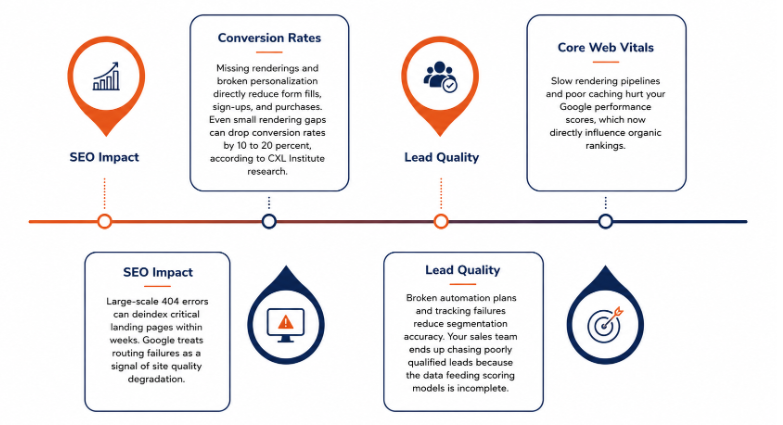
Technical failures are not just IT problems. They have direct business consequences.
- SEO: Large-scale 404 errors can deindex critical landing pages within weeks. Google treats routing failures as a signal of site quality degradation.
- Conversion rates: Missing renderings and broken personalization directly reduce form fills, sign-ups, and purchases. Even small rendering gaps can drop conversion rates by 10 to 20 percent, according to CXL Institute research.
- Lead quality: Broken automation plans and tracking failures reduce segmentation accuracy. Your sales team ends up chasing poorly qualified leads because the data feeding scoring models is incomplete.
- Core Web Vitals: Slow rendering pipelines and poor caching hurt your Google performance scores, which now directly influence organic rankings.
If your team is evaluating platforms, it helps to understand how Sitecore compares to the best eCommerce platform options available today, especially when personalization and content management are central to your digital strategy.
Why Enterprise Sitecore Project Errors are Recurring
Most enterprise Sitecore project errors are not random. They have systemic causes.
- Technical debt: Years of rushed deployments create hidden architectural instability. Every workaround that ships to production becomes a liability.
- Over-customization: Excessive customization increases upgrade risk and creates fragile rendering pipelines that break in unexpected ways.
- Lack of governance: Without deployment standards and configuration governance, environments slowly drift apart. What works in CM stops working in CD. What passes in staging fails in production.
- Poor DevOps maturity: Manual deployments and inconsistent infrastructure pipelines create recurring operational instability. Teams that want to build autonomous AI system workflows into their deployment pipelines can dramatically reduce human error in this area.
- Disconnected teams: Marketing changes frequently introduce automation or personalization complexity without engineering awareness. The result is broken platform behavior that no one anticipated.
How to Monitor Sitecore Before Problems Reach Users
Proactive monitoring prevents most emergency troubleshooting situations.
Enterprise teams rely on tools like:
- Sitecore Log Analyzer
- New Relic
- Datadog
- Azure Monitor
- Application Insights
What to monitor at all times:
- Rendering failure rates
- Publishing queue depth and success rate
- Solr indexing latency
- Memory consumption per server role
- Response times and TTFB
- GraphQL failure rates
- xConnect synchronization health
Without this visibility, recurring Sitecore project errors stay hidden until they affect real users or break active campaigns.
When to Bring in Enterprise Sitecore Support
Some problems exceed internal troubleshooting capacity. Warning signs include:
- Repeated production outages after deployments
- Publishing failures that keep coming back
- Unstable XM Cloud deployments
- Solr corruption after index rebuilds
- Escalating performance degradation without a clear cause
- Upgrade delays because of unknown dependency conflicts
The right support partner matters as much as choosing the right platform. The key traits of the best software development companies include deep platform expertise, structured diagnostic processes, and the ability to fix issues without introducing new ones.
Ready to Stop the Recurring Sitecore Fires?
At Unique Software Development, we help enterprise teams fix Sitecore project errors at the root, not just the surface. From rendering instability and Solr corruption to XM Cloud deployment failures and serialization conflicts, we bring structured diagnostic frameworks, deployment automation, and long-term governance strategies to every engagement.
If Sitecore keeps breaking after every deployment, let us find out why and fix it for good.
Contact Unique Software Development today and get a clear picture of what is actually causing your Sitecore instability.